 PLAY
PLAYUnderstanding Stick Drift Causes on Xbox Series X Controllers
By Playloot Team · Jul 27, 2026
Understanding Stick Drift Causes on Xbox Series X Controllers
Xbox Series X controllers are designed to enhance your gaming experience with precision and comfort, but as many gamers have encountered, stick drift can significantly disrupt gameplay. Understanding the causes of stick drift on these controllers is crucial for fixing the issue and restoring your gaming satisfaction. If you are looking for comprehensive fixes, be sure to check out our main guide: Back to the Ultimate Guide: The Ultimate Guide to Fixing Xbox Series X Stick Drift.
Table of Contents
What is Stick Drift?
Stick drift refers to the phenomenon where the analog stick on your Xbox Series X controller registers movement when it is physically still. This unintended movement can disrupt gameplay, causing frustration and diminishing your overall gaming experience. The reasons behind stick drift can be various, often involving wear and tear or design flaws.
Primary Causes of Stick Drift
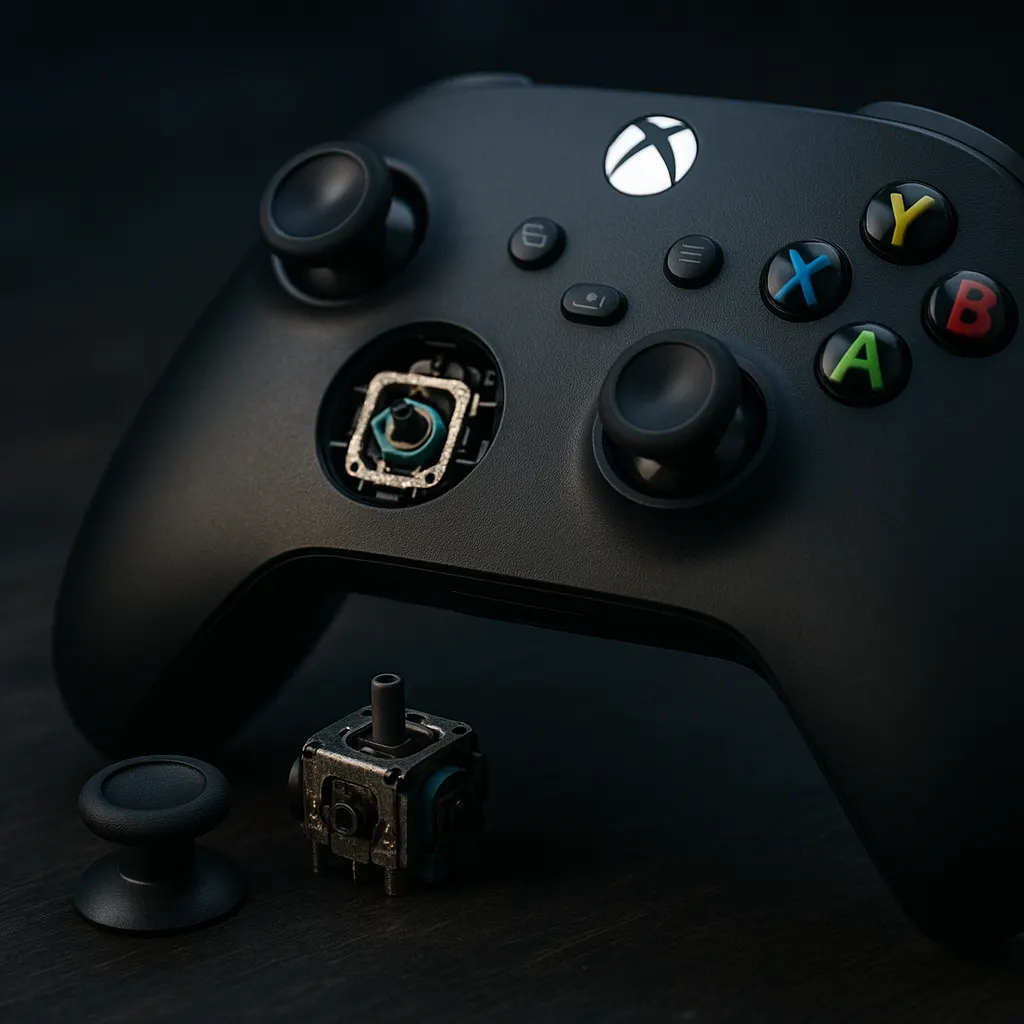
The continuous usage of a controller can lead to wear and tear, which is among the primary causes of stick drift. Over time, the analog stick's components, particularly the potentiometer, can degrade. This degradation results in inaccurate or unintended inputs being sent to the console.
1. Dust and Debris
Dust and debris accumulation is a common culprit of stick drift. Tiny particles can infiltrate the gaps around the analog stick, leading to interference with the mechanism's sensitivity or causing it to stick in a particular position.
2. Mechanical Wear
Mechanical wear is particularly prevalent in older or heavily used controllers. The repeated strain on internal parts, particularly the potentiometer, a rotary sensor measuring the stick's location, can lead to inaccuracies and failure over time.
3. Calibration Issues
Calibration is crucial for proper controller functioning. Sometimes the software settings can be misaligned, leading to drift. Recalibrating through your Xbox Series X settings might provide a temporary or even permanent solution.
4. Manufacturing Defects
In some instances, a controller might suffer from defects stemming from the manufacturing process. These defects might cause more rapid component failure or inconsistent responses from the analog sticks.
Addressing Stick Drift
Addressing stick drift can vary from cleaning the controller to replacing defective parts. In some cases, software updates might resolve calibration issues, while severe wear might necessitate component replacements. As a part of your troubleshooting strategy, you should always attempt simple fixes first, such as cleaning and recalibrating, before proceeding to more involved solutions such as hardware replacements.
Prevention Tips
Preventing stick drift starts with maintaining your controller. Regular cleaning, careful handling, and utilizing protective cases can lengthen the controller's lifespan and reduce the likelihood of encountering drift issues. Maintaining an environment free of excess dust and debris also contributes significantly to preserving controller functionality.
Frequently Asked Questions
The most common cause of stick drift is wear and tear of the controller's internal components, specifically the potentiometer that detects stick movement.
Yes, many cases of stick drift can be fixed through cleaning, recalibration, or minor repairs, without needing to replace the entire controller.
Dust can infiltrate the controller's internal mechanisms, causing interference with the analog stick's movements, leading to drift issues.
While less common, manufacturing defects can occur, leading to issues such as stick drift. These usually appear shortly after purchase and may be covered under warranty.
To minimize stick drift, regularly clean your controller, handle it gently, and store it in a clean, dust-free environment.