 PLAY
PLAYComprehensive Guide on Fixing Xbox Series X Disc Reader Issues
By Playloot Team · Jun 20, 2026
Comprehensive Guide on Fixing Xbox Series X Disc Reader Issues
Welcome to the ultimate guide dedicated to solving Xbox Series X disc reader issues. If you're here, chances are that your trusty gaming console is experiencing difficulties recognizing or playing discs, and you're looking for reliable solutions. The Xbox Series X, with its impressive capabilities, is a cornerstone of modern gaming. However, like any sophisticated piece of technology, it can encounter occasional setbacks—one of which involves issues with the disc reader. Whether due to software glitches, hardware anomalies, or external factors, these problems can disrupt your gaming experience. Worry not, as our extensive guide aims to address all potential sources of your woes.
Table of Contents
This pillar page serves as a comprehensive resource for identifying and rectifying disc reader issues on your Xbox Series X. We've compiled a wide array of troubleshooting steps, tips, and tricks to ensure your console functions seamlessly. Moreover, we offer detailed guides on specific sub-topics within this realm, which will be linked below for more in-depth exploration.
Overview of Xbox Series X Disc Reader Issues
When it comes to disc reader problems, symptoms can vary significantly from one user to another. Some gamers report the console not recognizing discs, others describe a constant whirring noise without reading the disc, and in some cases, the system might intermittently read or fully reject the physical media. Understanding the root of these issues is crucial to applying the right fix.
Disc reader issues generally stem from a variety of causes. They can be related to hardware malfunctions, such as accumulated dust and debris within the disc drive or more severe mechanical failures. On the software side, firmware bugs or incorrect settings might be at play. External factors, like scratched discs or interference from other electronic devices, can also contribute to disc reading problems.
Components of an Xbox Series X Disc Reader
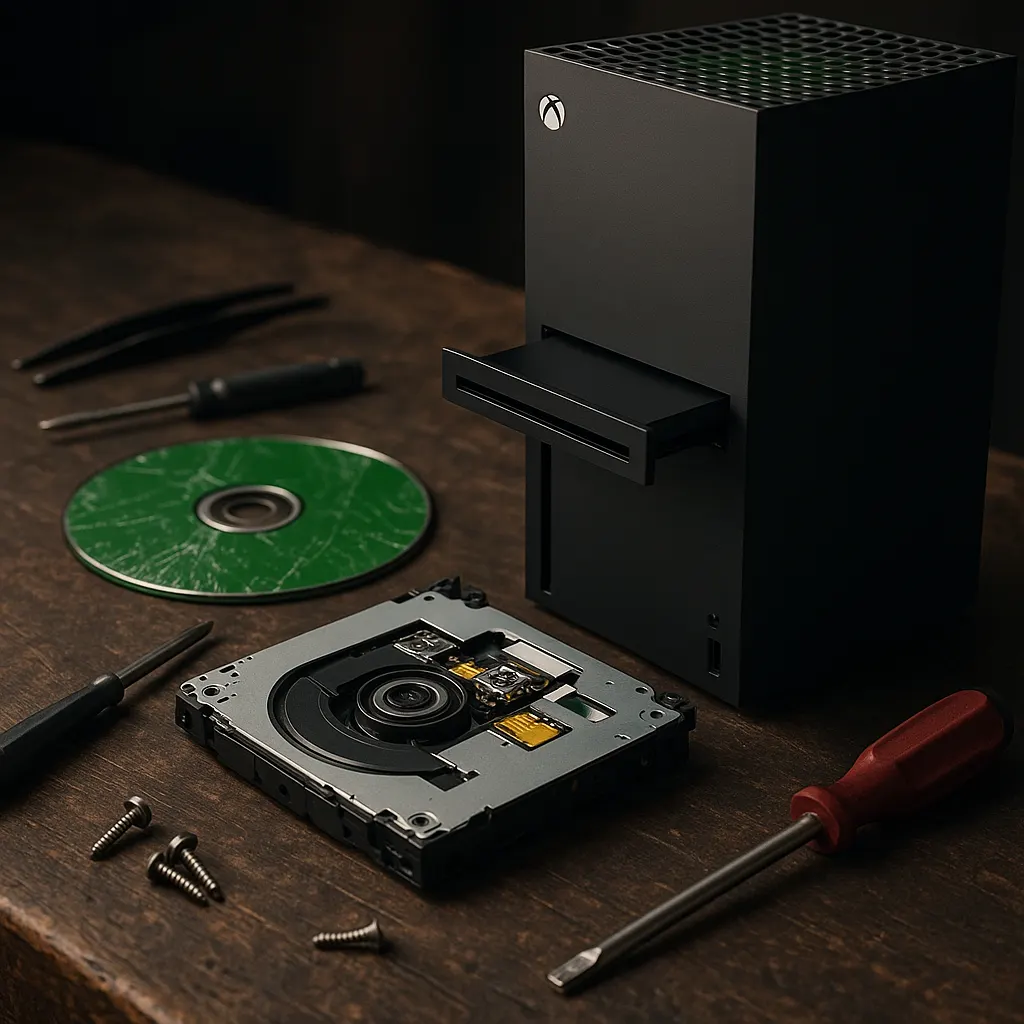
Before diving into fixes, it's essential to understand what constitutes the disc reader within the Xbox Series X. The primary components include the laser lens, responsible for reading data off the discs, and the spindle motor, which spins the disc at varying speeds to ensure data is read correctly. Other components include the loading mechanism and connective interfaces to the console's motherboard. Each of these parts needs to operate in harmony for optimal disc reading performance.
Common Causes of Disc Reader Issues
Several factors can lead to disc reader problems, and identifying them can save significant troubleshooting time. These include:
- Dust and Debris: Particles can accumulate inside the disc drive, obstructing the laser lens or other components.
- Disc Damage: Physical damage to the disc such as scratches or dirt can prevent data from being accurately read.
- Software Glitches: Out-of-date firmware or bugs might affect disc reading capabilities.
- Hardware Failure: Mechanical issues such as a faulty motor or misalignment within the drive can impede functioning.
- Environmental Factors: Placement of the console near electronic interference sources.
Troubleshooting Steps to Fix Disc Reader Issues
Before seeking professional repair services, perform some basic troubleshooting to potentially resolve the disc reader problem:
- Check the Disc: Ensure it's clean and free from scratches. Use a soft microfiber cloth to gently wipe from the center outward.
- Inspect and Clean the Disc Drive: Use a can of compressed air to blow out dust. Exercise caution to avoid direct contact with sensitive internal components.
- Update Console Firmware: Ensure your Xbox Series X software is current for optimal performance.
- Restart the Console: A simple restart can sometimes resolve temporary software glitches.
- Test Other Discs: Verify if the problem is disc-specific or persists across multiple media.
For more detailed solutions, be sure to explore our subsidiary guides, covering specific troubleshooting techniques, maintenance tips, and repair advice [Link to detailed troubleshooting guide here], [Link to cleaning and maintenance guide here], [Link to firmware update guide here].
When to Seek Professional Help
After attempting the troubleshooting steps outlined above, if the issue persists, it might indicate a more serious underlying problem. Professional diagnostic and repair services are recommended to address potential hardware failures. This ensures the longevity of your Xbox Series X and prevents further escalations. Consider reaching out to Xbox customer support or authorized repair centers for comprehensive assistance.
Frequently Asked Questions
Intermittent reading issues could be due to dust accumulation, disc damage, or firmware glitches. Applying regular cleaning and ensuring your software is up-to-date can mitigate these problems.
Yes, firmware updates can address certain software-related disc reading problems by patching known bugs and optimizing system performance.
It's not advisable to open the console unless you are experienced in electronic repairs, as it may void warranties and cause further damage. Professional service is recommended for serious issues.
Regular cleaning every few months helps prevent dust buildup. Use only appropriate tools like a can of compressed air for safe cleaning.
If your console reads some discs but not others, the issue might be specific to those discs. Inspect them for scratches or dirt. It's also possible that different batches of discs might have variable quality.